Working with Spring Floral Plant Designs Across Every Creative Platform
The shift into warmer months brings a natural pull toward botanical imagery. Spring floral plant motifs carry a lightness that works across endless surfaces and materials. Whether you're preparing seasonal merchandise, refreshing a brand identity, or crafting personalized gifts, having the right source files makes the difference between a smooth workflow and a frustrating afternoon of workarounds.
Digital design bundles built around spring floral plant themes have become a staple for crafters, small shop owners, and professional designers alike. The reason is simple: a well-structured set of assets removes the technical guesswork and lets you focus on composition, color choices, and the emotional tone you want your project to carry.
What Makes a Floral Design Bundle Actually Useful
Not all digital files are created equal. Anyone who has downloaded a free graphic only to find it pixelated at larger sizes understands this pain instantly. The practical value of a design collection rests on format variety and scalability. A bundle that arrives solely as flattened JPG images limits what you can achieve. But when the package includes fully editable vectors alongside high-resolution raster files, the creative possibilities multiply overnight.
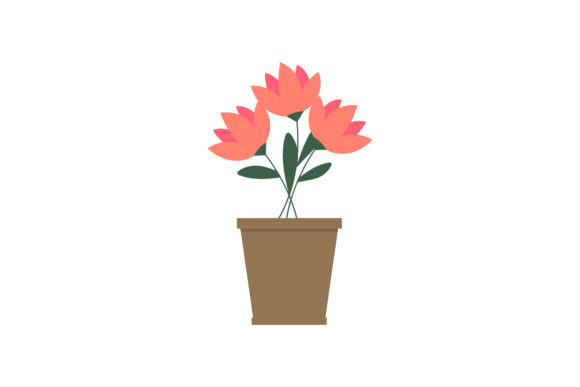
The spring floral plant collection from our shop was structured with this exact workflow reality in mind. Each design element lives inside a 1920 px by 1280 px canvas, a generous landscape proportion that suits everything from website hero banners and social media headers to print-ready layouts for invitations, card fronts, and fabric panels. That horizontal orientation, wider than it is tall, matches the natural spreading habit of many spring botanicals and gives compositions room to breathe.
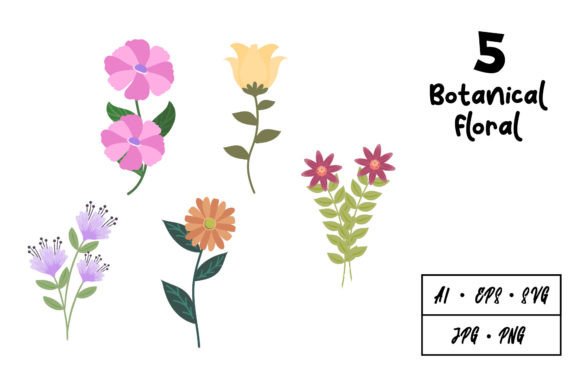
Beyond canvas dimensions, what genuinely matters is how the artwork behaves when you need to resize, recolor, or isolate individual stems and petals. This is where vector formats earn their reputation. AI files and EPS files preserve every anchor point and curve, meaning you can scale a delicate crocus silhouette to billboard proportions without a single jagged edge. The SVG format adds another layer of versatility, specifically for screen-based applications, cutting machine software, and web animations where clean code-renderable paths are essential.
The Six Formats and When to Use Each One
Understanding which file type to reach for at each stage of a project saves hours of trial and error. Here is how the six included formats break down practically:
- AI (Adobe Illustrator) – Your starting point for heavy customization. Open the original working file, adjust stroke weights, swap color palettes, or pull apart grouped elements. Illustrator preserves layers when the designer builds them properly, and that structural organization carries through when you export subsets for other applications.
- EPS (Encapsulated PostScript) – The universal translator of the vector world. When you work across CorelDRAW, Affinity Designer, or older sign-making software, EPS files maintain path integrity. They also embed preview images so file browsers display a thumbnail, which helps when managing large asset libraries.
- SVG (Scalable Vector Graphics) – Ideal for Cricut and Silhouette cutting projects, web icons, and any scenario where lightweight text-based vector code matters. SVG files place nicely inside HTML documents, making them a go-to for blog decorations and email newsletter accents.
- JPG – The practical choice for quick placement in word processors, PowerPoint, or social media schedulers where transparent backgrounds aren't needed. High-quality JPG exports at the full canvas size print clearly on standard letter and A4 sheets without upscaling artifacts.
- PNG – Transparency makes PNG the hero format for layering floral elements over photographs, textured backgrounds, or colored blocks. If you're designing product mockups, YouTube thumbnails, or layered scrapbook pages, start with the PNG versions.
- DXF (Drawing Exchange Format) – Primarily used in CAD software and certain laser engraving workflows. DXF files interpret artwork as line work, which suits etching, CNC routing, and specialized cutting machines that prefer this interchange standard over SVG.
Having all six in one download means you never have to pause mid-project to convert a file through an online tool of questionable quality. The files are ready for immediate use, and each one is built to be edited further if your vision demands it.
Spring Floral Plant Imagery and Seasonal Brand Storytelling
There is a marketing truth that underpins why spring floral plant designs drive engagement: seasonal imagery signals timeliness. A feed post, product label, or window decal that incorporates fresh botanical elements communicates that a brand is present, attentive, and aligned with what people are naturally drawn to as weather shifts. Flowers carry associations of renewal, growth, and gentle energy—emotional undertones that work for businesses ranging from bakeries and florists to wellness coaches and boutique clothing lines.
Using the editable vector files, you can pull individual botanical motifs and arrange them into borders, wreaths, or corner accents that frame text elegantly. The 1920 x 1280 px base canvas provides enough resolution headroom to crop in tight on a single bloom and still print sharply at greeting card sizes. This flexibility means one bundle behaves like many smaller asset packs once you start extracting and repurposing portions of each composition.
Color adaptability also deserves emphasis. A soft pastel treatment reads as Easter or baby shower appropriate. Deepen those same silhouettes into terracotta and sage, and suddenly the artwork suits an autumn transitional palette—extending the useful lifespan of your purchase beyond a single season. Because the native AI and EPS files support global color adjustments, changing the mood of an entire floral spread takes seconds rather than hours of manual recolor work.
Practical Surfaces and Substrates
Where do spring floral plant designs actually land in the physical world? The list runs far longer than most newcomers to digital assets initially realize. Crafters routinely apply these motifs to:
- Heat transfer vinyl on tote bags, t-shirts, and canvas pouches, using SVG or DXF files fed directly into cutting machine software.
- Adhesive vinyl decals for laptops, water bottles, and car windows, where the PNG transparency layer helps visualize placement before cutting.
- Cardstock and vellum for layered wedding invitations, baby shower suites, and thank-you cards—JPG and PNG formats slot easily into standard home printer workflows.
- Sublimation blanks including mugs, coasters, and polyester fabrics, taking advantage of the full 1920 px width for crisp transfers.
- Laser engraving onto wood, acrylic, and leather goods, pulling the DXF linework that engraver software interprets reliably.
- Embroidery digitizing, where clean vector outlines simplify the process of mapping stitch paths and fill patterns.
Each use case asks something slightly different from the source file, and the six-format approach anticipates those demands without requiring the end user to own expensive conversion software or vectorize raster images from scratch—a notoriously unreliable process for intricate floral linework.
Thank You for Visiting and Purchasing – A Note on Support and File Confidence
Purchasing digital designs involves a degree of trust. You are buying files you cannot physically examine beforehand, and the value proposition rests entirely on whether they perform as expected once downloaded. When someone chooses our spring floral plant bundle, they are expressing confidence that the assets will integrate into their creative workflow without hidden obstacles.
We take that seriously. Each format in the collection has been checked for compatibility, proper export settings, and real-world usability. The AI files retain editable text if any typography appears. The SVGs use clean, well-named layers that cutting software parses correctly. The PNGs export at full resolution without color profile mismatches. These quality checks happen before listing, not as an afterthought when a customer encounters an issue.
If you have already purchased, thank you. You are the reason we continue refining our product structure and listening to the specific format requests that crafters and designers send our way. The inclusion of DXF, for example, came directly from buyer feedback asking for laser-ready linework. The 1920 x 1280 canvas ratio similarly reflects an understanding that landscape-oriented designs fit banners, headers, and wide-format prints better than square crops for many commercial applications.
For those still exploring options, the guarantee of easy editability means something concrete. You are not locked into the exact colors or groupings shown in preview images. Pull apart bouquets to use individual stems. Combine elements from multiple files to create an entirely original composition. The designs function as building blocks as much as finished scenes.
Organizing Your Asset Library for Repeated Use
A small organizational tip that pays dividends: when you download a bundle containing six format types, create a folder structure that mirrors the formats rather than dumping everything into one directory. Label subfolders clearly—Vector, Raster Print, Cutting Files—and store the AI, EPS, and SVG together; JPG and PNG together; DXF separately. This upfront sorting takes two minutes and prevents that sinking feeling of scrolling through an undifferentiated file list six months later trying to remember which SVG contained the daffodil placement you loved.
Rename files meaningfully as you pull them into active projects. Generic filenames like "spring-floral-03.svg" become immediately opaque when a project folder holds dozens of assets. A quick suffix noting the primary bloom type or dominant color makes searchability much kinder to your future self.
Stretching One Bundle Across Multiple Project Types
The economic argument for investing in well-made design bundles goes beyond the immediate sticker price. Calculate cost per project rather than cost per download. A single spring floral plant collection might yield:
- A seasonal logo refresh for a small business using the EPS opened in Affinity Designer.
- Twelve coordinating social media templates cropped from the 1920 px wide JPG canvas.
- A line of greeting cards printed locally using the high-resolution PNG files.
- Custom tote bags cut from the SVG shapes applied in Cricut Design Space.
- Engraved wooden gift tags pulled from the DXF paths imported into LightBurn.
- Fabric pattern repeats built by tiling motifs extracted from the original AI file.
Suddenly one purchase powers months of output across completely different mediums. That is the genuine leverage that multi-format design assets provide, and it is why format variety matters far more than sheer file count. Twenty JPGs of different flowers offer less creative range than one floral arrangement delivered in AI, EPS, SVG, PNG, JPG, and DXF.
The spring season brings urgency—markets, shop updates, wedding bookings, and garden-center promotions all cluster within a compressed window. Having ready-to-use floral plant artwork that you can apply within minutes of downloading removes one bottleneck from the production chain. No waiting for custom illustration turnaround. No compromising on resolution. No format conversion acrobatics.
Thank you for visiting, for reading, and for trusting our designs with your creative projects. Whether you are here to purchase, to research options, or to better understand what makes a digital floral bundle worth its price, we hope the information here sharpens your sense of what to look for—and what to expect from quality source files.