The Practical Power of Botanical Floral Vector Design for Modern Creative Projects
Nature has always been a wellspring for visual storytelling. When you look closely at the intricate veins of a leaf or the gentle unfurling of a petal, you see patterns that graphic designers have been reinterpreting for centuries. Today, those organic forms meet digital precision through botanical floral vector design. These assets are not just pretty pictures; they are carefully structured files you can bend, stretch, colorize, and layer without ever losing the crisp edges that define professional work.
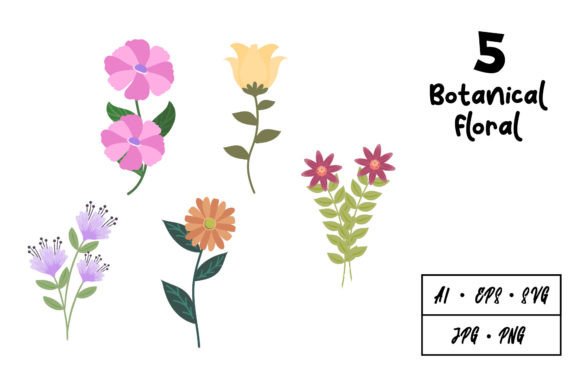
What makes the collection we are examining particularly useful is the breadth of formats bundled together. Instead of receiving a single rigid file, you gain access to an ecosystem of extensions, each one waiting for a different stage of your creative pipeline. The package delivers one AI 10 file, one EPS 10 file, a transparent PNG, a high‑resolution JPG, and an SVG file. This multi‑format approach acknowledges something important: a logo designer’s software preferences differ from an animator’s, and a t‑shirt printer’s technical constraints differ from a web illustrator’s. Serving all of them requires a thoughtful assembly of file types.
Why Vector Files Change the Game for Floral Artwork
To appreciate the value bundled in these downloads, you need to understand what separates vector graphics from the raster images most people encounter daily. A photograph on your phone is built from millions of tiny colored squares, or pixels. Zoom in far enough, and those squares reveal themselves as jagged staircases along curves. A botanical floral vector graphic operates on an entirely different principle. Instead of a fixed grid of pixels, the image is written in mathematical paths, bezier curves, anchor points, and color fills. The computer recalculates those paths every time you resize the object.
The practical implications run deep. Imagine you have designed a delicate flowering vine for a business card. It looks perfect at two inches wide. Now picture taking that same vine and stretching it across a storefront window spanning eight feet. With a pixel‑based file, your vine would fracture into a blurry mess, forcing you to start over. With the AI or EPS file from this download, you simply click and drag. The curves remain as sharp at eight feet as they were at two inches. This reusability saves hours of rework and ensures brand consistency across wildly different physical and digital media.
The Editable Anatomy of a Floral Composition
Within the AI (Adobe Illustrator) file, the botanical elements are typically organized into distinct layers and grouped objects. This is not a flattened, unchangeable picture. You can isolate a single peony bloom from a bouquet, recolor its petals from blush pink to deep burgundy, and reposition it on a completely different layout. You can extract a fern frond and use it as a standalone icon. The editable nature extends to stroke weight, which means you can take a finely detailed line‑art rose and thicken its contours for a bold screen‑printed look on a t‑shirt, or thin them to near‑invisibility for an elegant, engraved‑style wedding invitation.
Typography and floral elements blend seamlessly in this editing environment. Designers often find that wrapping text around a curved floral border or tucking lettering into the negative space of a wreath feels fluid because the vector paths are inherently flexible. The software treats a letterform and a leaf outline as similar mathematical constructs, so aligning, spacing, and warping them together produces harmonious results.
Navigating the Included File Types and Their Roles
Each file extension in the download serves a distinct purpose. Smart creatives learn to identify which friend to call for each job.
- AI 10 File – The Master Source: This is the native Adobe Illustrator document. It preserves the full layer structure, editable text (if any is included), and all live effects. When you need to make deep modifications, split apart a complex arrangement, or prepare variations for a client presentation, the AI file is where you work. The version 10 compatibility ensures that even users with older software versions can open the file without missing critical data.
- EPS 10 File – The Universal Communicator: Encapsulated PostScript files bridge the gap between different design ecosystems. A professional printing house, a vinyl cutter’s proprietary software, or a sign maker’s layout tool might not recognize the AI format, but EPS commands near‑universal respect. When you send a floral logo to a embroiderer or a promotional merchandise producer, the EPS file often becomes the required handoff format.
- SVG File – The Web and Animation Ready Format: Scalable Vector Graphics speak the language of the browser. SVG files are lightweight, text‑based, and can be animated with CSS or JavaScript. If you plan to have a flowering branch gently sway on a website header or want to use the floral elements in an interactive data visualization, the SVG is indispensable. Modern presentation tools like PowerPoint and Google Slides also accept SVG imports, allowing you to build botanical‑themed pitch decks where every leaf scales cleanly on an overhead projector.
- PNG File – Transparency When You Need It: The Portable Network Graphics file provides a rasterized version with a clear background. This is the format you drop into a video timeline, a Canva project, or a social media template when working quickly. The transparency allows the floral design to overlay photographs, colored backgrounds, or textured surfaces without an unsightly white box surrounding it.
- JPG File – The Everyday Preview and Print Option: A high‑quality JPG rounds out the package. While it lacks transparency and cannot scale above its native resolution without degradation, it serves as an excellent reference image, an email attachment for client approval, or a direct‑to‑print file for simple projects that don’t require further editing.
From Screen to Fabric: Logos, Illustrations, and Apparel
One of the most compelling applications for botanical floral vector design sits in the identity space. Brands rooted in wellness, organic products, natural skincare, eco‑tourism, or artisanal crafts seek visual marks that feel alive and approachable. A multi‑petaled lotus unfolding in a clean geometric grid or a sage bundle rendered with precise linework communicates attention to detail and a connection to the earth. Because the vector data is infinitely scalable, that same mark can be embossed on a recycled paper hang tag, laser‑etched onto a wooden product, and displayed as a favicon on a browser tab, all from the same source file.
Illustrators and surface pattern designers benefit enormously from these assets as well. The ability to extract individual motifs means you can build a repeating pattern for fabric, wallpaper, or phone cases. You take the downloaded botanical elements, arrange them into a seamless tile inside Illustrator, and export. The clean vector paths ensure that when the fabric is printed at the factory, there are no fuzzy edges or unexpected color shifts along the boundaries of each repeat.
For t‑shirt designs specifically, the route from vector file to finished garment is direct and reliable. Screen printers need high‑contrast, solid‑color artwork that can be separated into individual films. The EPS or AI file lets you isolate each color channel, adjust trapping, and output film positives without the pixelation headaches that plague low‑resolution raster images. Direct‑to‑garment printers also accept high‑resolution PNGs, but having the vector master means you can scale the design from a toddler’s onesie to a 3XL adult shirt without returning to the drawing board.
Animating Botanical Forms Without Redrawing
Animation studios and motion graphics artists often stare down tight deadlines. Receiving a set of pre‑built, beautifully drawn floral vectors shortens the pre‑production phase dramatically. An SVG featuring a sprig of eucalyptus or a cluster of wildflowers can be imported into Adobe After Effects or a web‑based animation tool like LottieFiles. Artists can then animate each leaf individually, creating gentle swaying motions, growth sequences, or elegant reveals for text.
Because the source files are cleanly constructed, with paths that don’t contain unnecessary anchor points, they deform gracefully. Overly complex vectors with thousands of extraneous points cause animation software to lag and make rigging a headache. The best floral vector downloads keep the path count efficient, balancing organic curvature with technical performance. When you scrub through a timeline and see a blooming rose rotate smoothly, you are witnessing the direct benefit of a well‑authored source file.
The Enduring Value of 10‑Second Edits and Lifetime Usage
There is a quiet confidence that comes from owning the master files. When a client says, “I love the logo, but can we try it in autumn tones instead of spring pastels,” you don’t dread the request. You open the AI file, select the objects that need recoloring, and apply a new palette. The edit takes seconds. You export fresh PNGs and JPGs, and the project moves forward. This agility is only possible because the file is truly openable and editable, not a locked, flattened aggregate.
The reusability extends across years. A botanical floral vector design purchased today for a specific wedding invitation might reappear next season as part of a client’s restaurant window mural, and the year after that as an accent in a personal journal design. The assets don’t degrade or become obsolete. They sit in your resource library, ready to be reconfigured, combined with new elements, or recolored to match whatever trend emerges.
Resizing without losing quality is often touted as the headline feature of vectors, but the deeper truth is about professional sustainability. Raster graphics lock you into resolutions. They make you nervous about project specs before you’ve even started sketching. Vector files free you to think conceptually first and technically second. You can rough out an enormous poster design knowing that the floral border, no matter how large it needs to be, will hold its integrity.
Selecting the Right Botanical Style for Your Project
Botanical floral designs span a wide aesthetic range. Some lean heavily into scientific illustration, with fine hatching and labeled diagrams reminiscent of 18th‑century herbals. Others adopt a flat, minimalist silhouette approach better suited to modern app icons and user interfaces. Still others embrace a watercolor‑meets‑vector hybrid, where gradients and opacity masks simulate the bleeding edges of pigment on paper. When evaluating a download, consider whether the line weight, level of detail, and overall mood can stretch across the projects you typically handle.
If your work skews toward the elegant and feminine, look for peonies, magnolias, and trailing ivy with graceful stems. If you need something more structured and gender‑neutral, consider botanical forms like succulents, monstera leaves, or olive branches arranged in symmetrical wreaths. The best collections offer enough variety within a cohesive style to allow mixing and matching without visual discord.
The included file formats also give you an avenue to test the artwork in context almost instantly. Drag the PNG into a mockup template. Drop the JPG onto a virtual product shot. Open the SVG in your code editor to see how it renders inline. The barriers to experimentation are low, which encourages the playful exploration that often leads to a breakthrough design.
Caring for Your Vector Assets
Once you download the collection, adopt a simple organizational habit. Create a master folder named with the collection’s title and date. Inside, keep the AI and EPS files pristine as your untouched originals. When starting a new project, duplicate the relevant file first. This discipline prevents you from accidentally saving a flattened, altered version over your source material. It also allows you to return to the full, unedited composition years later when your memory of the original arrangement has faded.
For the PNG and JPG files, consider generating additional size variants for your most common use cases. A web‑optimized PNG at 72 dpi with reduced file size will load faster on websites than the full‑resolution version. You can batch‑process these exports from the vector master, ensuring that any compression artifacts are kept away from your original work.
The SVG file deserves special attention if you are web‑focused. Run it through an SVG optimizer like SVGO to strip out editor metadata and reduce its byte size further. The result will be a lean floral graphic that contributes almost nothing to page load times while looking razor‑sharp on retina and high‑dpi displays.
A Quiet Workhorse in the Creative Toolkit
Floral vector designs rarely receive the fanfare of typography trends or the drama of bold, abstract brand marks. They work quietly, weaving a thread of natural elegance through layouts, identities, and animations. Their strength lies not in shouting but in supporting, framing, softening, and beautifying the core message of a project. A botanical floral vector design graphic that opens cleanly, scales infinitely, and comes prepared in multiple formats saves you from technical tangles and keeps your attention where it belongs: on crafting work that resonates with people.
Whether you are designing a small batch candle label, an animated social media story, or a full‑scale event branding package, the combination of immediate usability and long‑term adaptability makes these files a grounded, intelligent investment. The peony will still be perfectly formed when you next encounter it in your archives, waiting for its next role.