Floral Glove: A Versatile Design Resource for Creators
Creative work often comes down to having the right elements at the right time. The Floral Glove digital design collection offers a carefully prepared set of files that blend floral aesthetics with practical adaptability. Whether you are a small business owner updating your brand visuals, a blogger refreshing your featured images, or an educator producing engaging handouts, this package delivers a ready-to-use visual asset without the need to start from scratch. The thoughtful combination of file formats, generous canvas size, and the underlying artistic quality make it a resource worth examining closely.
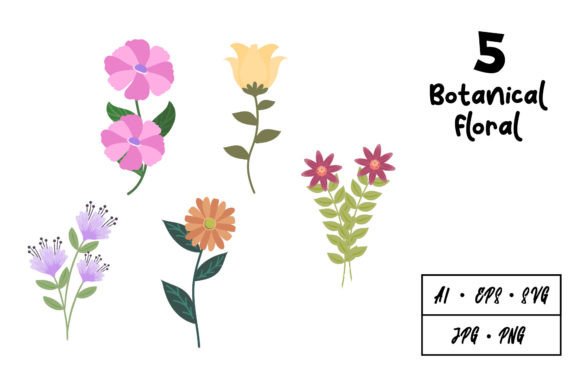
What exactly does the Floral Glove product include? At its core, you receive five digital files built on a 1920 pixel by 1280 pixel canvas. That 3:2 aspect ratio is not arbitrary. It aligns perfectly with widescreen presentations, social media banners, email headers, and many common print layouts. The files come in five distinct formats: AI, EPS, SVG, JPG, and PNG. This selection is not about giving you duplicates. Each format serves a different purpose, and understanding those purposes helps you make the most of the design. The AI (Adobe Illustrator) file preserves full editability for those who work with vector software. The EPS file extends compatibility to older or non-Adobe vector programs. The SVG format is ideal for web use, scaling cleanly on responsive sites without losing clarity. The JPG provides a lightweight, ready-to-place image for quick tasks, while the PNG gives you the same visual with transparency support—perfect for overlaying on colored backgrounds or combining with other design elements.
The presence of both vector and raster options means you are not locked into one workflow. You can open the AI file to adjust colors, remove elements, or add text directly in your design tool of choice. Meanwhile, the PNG can be dropped into a Canva project or a PowerPoint slide without any conversion step. This dual approach saves time and reduces the friction that often comes with using downloaded assets.
Who Benefits Most from the Floral Glove Collection
The natural style of this floral artwork appeals to a wide audience, but a few groups stand to gain in particularly meaningful ways. Small business owners frequently face the challenge of producing professional-looking marketing materials on a limited budget. Instead of hiring a designer for every social media post or seasonal promotion, they can use the Floral Glove files as a foundation. By adding their logo or a short message to the AI or SVG version, they create original-feeling graphics in minutes. The high resolution ensures the result looks polished on both screen and print.
Bloggers and content creators who rely on featured images will appreciate the canvas dimensions. The 1920x1280 pixel size works well for blog headers and Pinterest pins, where consistent aspect ratios matter. Using the floral design as a background layer, they can overlay text that remains readable while the delicate artwork adds visual interest. Because the design is illustrative rather than photographic, it pairs nicely with a wide range of content topics—from lifestyle and wellness to gardening, home decor, and even professional development posts that use a soft, organic visual tone.
Educators and trainers designing presentation slides or printable handouts often need visuals that communicate warmth without distracting from the core message. The Floral Glove artwork brings an understated elegance that can soften dry material. The PNG file’s transparency is especially useful here: place the floral element in the corner of a slide, let the background color show through, and maintain a clean layout that still feels human and approachable.
Freelance graphic designers and virtual assistants who produce client work under tight deadlines can treat the Floral Glove files as a time-saving resource. Rather than searching multiple stock sites and adjusting licenses, they have a set of compatible files ready to integrate into branding packages, social media templates, or event invitations. The vector formats mean the artwork can be recolored to match any brand palette, making one purchase serve many different clients over time.
Practical Applications That Go Beyond Simple Decoration
It is easy to assume that a floral design is only useful for greeting cards or wedding stationery. While those are valid applications, the Floral Glove artwork supports a broader range of projects. Consider a marketing agency preparing a proposal deck for a client in the wellness industry. A few well-placed floral accents on divider slides or data visualization backgrounds can elevate the entire presentation’s tone. Because the artwork is editable, the agency can tone down colors or increase opacity to ensure the visuals support, rather than overpower, the information.
Podcasters and video creators often struggle with channel art and thumbnail design. The 1920x1280 canvas is a standard 16:10 ratio that adapts nicely to YouTube thumbnails, podcast cover art for platforms like Spotify, and Facebook cover photos. By overlaying episode titles or guest names on the floral background, creators maintain a consistent brand identity while each piece of content retains a fresh look. The PNG version lets them blend the artwork with photographs or other textures, adding depth that a plain background cannot provide.
Printing is another area where the file quality matters. A local boutique might take the EPS version to a print shop for a window display or fabric pattern test. The vector nature ensures no pixelation, even at very large sizes. A community organization planning a spring event could use the design for banners, flyers, and ticket stubs, keeping the visual theme consistent across all materials. Because they can edit the source file, they can add event-specific details like dates, venues, and sponsor logos without compromising the artwork’s quality.
Practical File-by-File Guidance for Every User
To get the most out of this collection, it helps to know exactly when to reach for each file. The AI file is your starting point if you own Adobe Illustrator or an equivalent program like Affinity Designer. You can change the composition, isolate individual floral elements, or expand the canvas. The EPS file functions similarly but is often preferred by those who use CorelDRAW, older software versions, or need to share files with print providers who accept only EPS submissions. The SVG file is your web-ready powerhouse. Use it directly in website code, upload it to content management systems that accept SVG, or import it into design platforms like Figma for user interface mockups. Since SVG files are code-based images, search engines can index them, offering a minor but real SEO advantage when used thoughtfully with proper alt attributes on your site.
The JPG file is the simplest option for everyday use. Open it in any image viewer or browser, and it is ready to go. It operates at full resolution, so you can crop or resize it for various platforms without worrying about upscaling artefacts. Keep in mind that the JPG does not support transparency, so it works best when you want a solid rectangular image with the floral design fully filled. The PNG file, on the other hand, preserves the transparent areas surrounding the floral elements. This is invaluable when placing the artwork on a colored background or overlapping it with another image. The PNG format also uses lossless compression, meaning no quality is sacrificed.
Addressing Common Considerations Before You Start
Digital products offer immediate access, but they also require a bit of user awareness. The Floral Glove collection is a download, not a physical item. You will need appropriate software to open and edit the vector files. While the JPG and PNG are universally accessible, the AI and EPS files demand a vector editing program. Many free alternatives, such as Inkscape and the online editor Gravit Designer, can open SVG and certain EPS files, though results vary. If your workflow relies exclusively on online tools like Canva, the PNG and JPG will serve you well immediately, while the SVG may also import smoothly. The AI file might require conversion, but you can often upload it to online converters or open it in a free trial of Adobe Illustrator if needed.
It is also worth noting that the design comes as a single composition. The floral elements are arranged in a specific, intentional layout. If you need isolated flowers scattered individually across a page, you will need to open the AI file and manually separate them with the direct selection tool. This is a straightforward task for anyone familiar with vector software, but beginners should budget a few extra minutes to learn the technique. The finished result is rewarding, but it is not an instant scatter-brush function. Knowing this upfront helps you plan your project timeline realistically.
For those working primarily with photographs, the floral design might feel quite illustrative. Its digital-art style blends realistic petal shapes with a slightly stylized, polished finish. This aesthetic suits modern branding, clean blog layouts, and contemporary stationery. If your project demands a hyper-realistic photographic look, you might complement this asset with additional stock photography rather than expecting the illustration to mimic a photograph. That said, the illustration’s clarity and versatility are often exactly what makes it more adaptable across different mediums than a photo would be.
How This Resource Aligns with Long-Term Creative Goals
Building a library of high-quality design assets is a form of professional investment. The Floral Glove collection offers more than a single-use decoration. Because it is editable and multi-format, you can revisit it for multiple projects over months or years. A jewelry maker who uses it for a spring lookbook might repurpose it for an autumn promotion by shifting the color palette to warmer tones. A nonprofit that uses it for an annual report cover could adapt the same artwork for social media thank-you posts, maintaining brand continuity without additional costs. This kind of reuse potential is what separates well-structured digital products from one-off clipart.
From a practical standpoint, the consistent 1920x1280 pixel canvas streamlines production. You can create templates in your preferred design software, link to the artwork file, and then swap out text and minor details for each new campaign. This workflow reduces the mental load of starting from a blank canvas every time and leads to a more cohesive visual presence across your channels. Cohesion matters in a crowded content landscape; audiences recognize and trust consistent aesthetics.
Time efficiency is another practical outcome. When you have an accessible, editable, high-resolution floral element ready, you can respond to last-minute project needs without panic. Perhaps a client requests a social media graphic for a same-day event, or your team needs a slide deck background for an early morning meeting. Opening a familiar file, making a quick adjustment, and exporting takes far less time than searching stock libraries, downloading watermarked previews, purchasing, and then discovering the aspect ratio or resolution does not match. The Floral Glove package eliminates those friction points by giving you exactly what you need in multiple forms from the outset.
Thoughtful Integration into Your Existing Workflow
To make this design work well within your current tools, start by assessing which software you use most. If you work heavily in Adobe Photoshop, the PNG file will likely be your go-to, allowing you to layer the floral art with textures, gradients, and typefaces. If you design directly in presentation software like Keynote or Google Slides, the PNG’s transparency gives you flexibility to place the artwork on slides without a white box around it. For those who manage websites, the SVG file can be embedded inline, animated subtly with CSS, or styled to match brand colors through code without ever opening a graphic editor.
When sharing the resulting designs, pay attention to final file formats for their destinations. A social media graphic saved as a PNG will maintain its sharpness, while a printed flyer might need a high-resolution PDF exported from your vector file. Starting with the Floral Glove assets means you are always working from a high-quality source, so you can downscale or convert as needed without introducing artifacts. It is a small detail that makes a noticeable difference when a poster is viewed up close or a profile image is scaled across different devices.
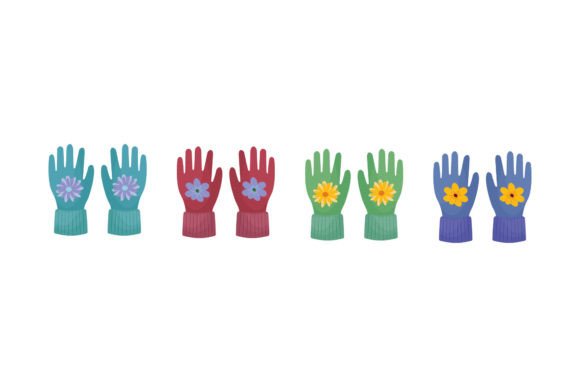
One underrated benefit of this specific product is the clarity of the offering. The description “Floral Glove Thank you for visiting my product -WHAT YOU GET- 5x Digital Files in total 1920px X 1280px Canvas Size…” is direct and transparent. There is no ambiguity about what you are downloading and how you can use it. In a market where many digital products come with confusing licensing or unclear specifications, that straightforwardness is refreshing. It allows you to make a quick, informed decision about whether the asset fits your immediate need.
Building Expressive Work Without Extra Complexity
Creative expression often suffers under layers of technical friction. When the asset you need arrives in a format you cannot open or requires extensive tweaking before use, the momentum of your project stalls. The Floral Glove collection sidesteps this common frustration by giving you multiple entry points. Even if you never touch the AI or EPS files, the JPG and PNG alone provide full-resolution options. Yet the editable vectors remain available as your skills or needs evolve. This design decision respects both the beginner who needs a quick solution and the experienced designer who demands full control.
In practical terms, imagine a marketing coordinator tasked with creating an email header that matches a new product launch. The 1920-pixel width is nearly double the typical email header width, giving you room to crop creatively without losing detail. You can position the floral elements off-center, let the white space breathe, and add a headline with ample contrast. The result looks custom-made, not like a template that thousands of other businesses might use. That sense of originality can influence how recipients perceive your message and, by extension, your brand.
Similarly, an author designing a lead magnet or a free downloadable PDF can use the floral artwork on the cover page. The soft, natural imagery helps set an inviting tone before the reader even begins the first paragraph. Since the file is high-resolution, it prints cleanly if the reader chooses to print the document. The attention to detail pays off in subtle but meaningful ways that enhance the perceived value of your free resource.
Making an Informed Choice About Your Next Visual Asset
No single design resource suits every project, and the Floral Glove collection is no exception. If your work demands gritty, urban, or highly minimalist visuals with no organic shapes, this floral illustration may not fit. If you require an extensive library of interchangeable flower parts rather than a composed layout, you might seek a dedicated botanical illustration pack. However, if you need a graceful, adaptable floral design that comes in truly useful formats and a resolution that works across digital and print mediums, this collection warrants close consideration. The five-file bundle addresses real-world workflows rather than delivering redundant copies, and the editable vectors ensure the artwork can grow with your projects over time.
Ultimately, the value of a digital product lies in how often and how effectively you use it. The Floral Glove product, with its thoughtful format selection and generous canvas, lowers the barrier between having an idea and executing it with polish. That reduction in effort is what helps you maintain a consistent publishing schedule, respond to opportunities quickly, and present your work with confidence.