Purple Watercolor Floral Frame: A Versatile Asset for Creative Workflows
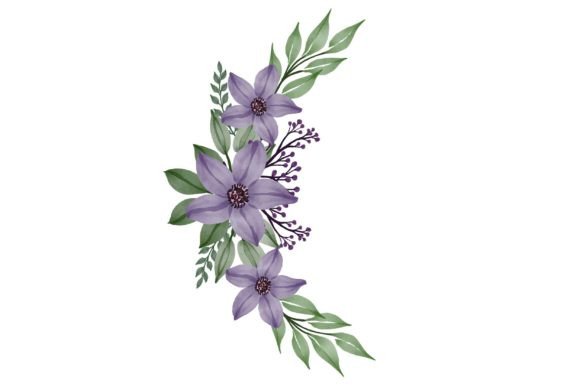
Whether you’re designing a custom wedding invitation, refreshing your brand’s social media templates, or creating a limited-edition product line, the right visual asset can speed up execution and strengthen the final result. The Purple Watercolor Floral Frame is a hand-painted digital illustration arranged as a decorative circular or wreath-like border, built from layered violet and lavender blooms, delicate leaves, and soft washed textures. Because it’s delivered in three distinct formats—vector EPS, high-resolution JPG, and transparent-background PNG—it adapts to a wide range of creative and business workflows without forcing you into a single tool or use case. Thinking of it as a reusable component rather than a one-time decoration changes how you plan, prototype, and produce visuals across print and digital projects.
What the Purple Watercolor Floral Frame Really Is
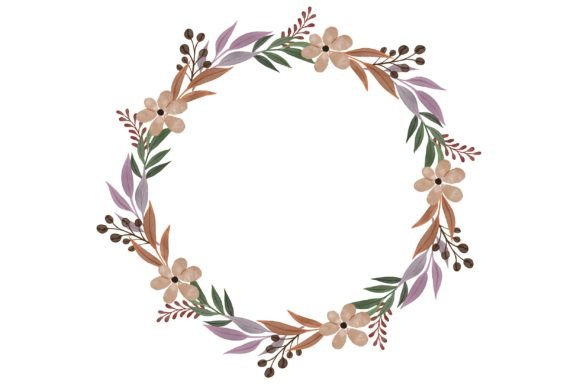
At its core, this asset is a finely crafted arrangement of watercolor flowers with a naturally irregular, hand-painted feel. The purple palette moves between deep plum, soft lilac, and dusty mauve, giving you enough tonal range to work with both bright and muted backdrops. The “frame” layout means the blooms cluster around what becomes a central open area, making it ideal for containing text, monograms, or product photos. Unlike a generic stock image, the illustration carries a sense of organic imperfection that works especially well for brands, event materials, and products seeking a human touch. The inclusion of .EPS, .JPG, and .PNG formats means you don’t face the frustration of downloading a vector file only to find you needed a transparent raster for Canva, or vice versa. This deliberate format packaging aligns with real-world use, not just a license dump.
How the Floral Frame Fits Into a Larger Process
Think of asset selection as a drafting stage within any creative or business task. When you’re outlining a project—whether it’s a batch of 50 custom mugs, a seasonal wallpaper collection, or printable card suites—you typically spend early effort gathering references and raw materials. At this planning stage, the Purple Watercolor Floral Frame can serve as a placeholder you test in different layouts. Because the EPS file remains fully scalable without quality loss, you can resize the wreath from a tiny envelope seal to a full-scale fabric swatch without worrying about pixelation. That flexibility lets you commit to a visual direction early on, reducing wasted time later trying to salvage a low-resolution asset that won’t hold up in production. In the execution phase, you drop the appropriate format directly into your working file, position your central content, and fine-tune—shaving hours off the design process compared to creating a floral frame from scratch or patching together multiple separate elements.
Before, During, and After a Project
During a pre-production brainstorm, you might use the JPG version in a mood board simply because it loads fast and you’re quickly testing color vibes. Once you move into formal design, the PNG’s transparency lets you layer the frame over patterned backgrounds or behind product images without a white box ruining the composition. If you later decide to scale the design for a large-format print like a table runner or fabric panel, the EPS vector becomes your production file—open it in Illustrator, ungroup elements if needed, tweak individual petals or leaf placements, and recolor sections without degrading the watercolor texture. After the project launches, you archive the original asset with your working files so it can be repurposed for future seasonal updates or companion product lines. This before-during-after logic keeps the asset alive across multiple cycles rather than languishing in a forgotten downloads folder.
Practical Use Cases Across Different Workflows
The same illustration moves through different hands with very different goals. Understanding those real-world applications helps you recognize where this asset can save time or unlock new output options.
- Stationery and event design: Place the frame around invitation text, save-the-date details, or a couple’s initials. The watercolor edge softens formal typography and prints beautifully on textured cardstock. Wedding suites, baby shower invites, and elegant birthday cards all benefit from the consistent floral motif.
- Product customization: When printing on mugs, tote bags, or apparel, the high-resolution JPG with a solid background or the transparent PNG can be uploaded directly to print-on-demand platforms. The purple hues translate well to both light and dark fabric bases if you adjust contrast slightly. Since the illustration is fully rendered, you avoid the risk of thin vector lines that disappear on certain materials.
- Digital wallpaper and screens: Center the floral ring on a phone or desktop background, drop a subtle gradient in the middle, and you have an elegant, distraction-free wallpaper. The soft watercolor wash prevents eye strain compared to high-contrast patterns, making it suitable for productivity-focused users who still want a personalized screen.
- Social media and blog templates: Lock the frame as a persistent design element across Pinterest pins, blog quote graphics, or Instagram Story backgrounds. By reusing the same floral accent, you create visual consistency without manually re-creating the effect for every post. The transparent PNG works incredibly well over laid paper textures or solid pastel blocks.
- Fabric and textile mockups: Import the EPS into a pattern design tool, repeat or offset the arrangement, and generate a seamless watercolor floral print for fabric. Because the original framing layout can be broken apart in vector software, you can build entirely new surface designs from the components without losing the painterly character.
Working with the Included File Formats
A common workflow bottleneck happens when a valuable illustration arrives only as a flat JPG with a locked white background. The purple watercolor floral frame’s multi-format delivery directly addresses that friction. The .EPS 10 file is a vector masterpiece: you can scale it to any dimension, open it in Adobe Illustrator, CorelDRAW, Affinity Designer, or free alternatives like Inkscape, and edit individual blooms, leaves, and stems. If you need to shift the overall hue from purple to a cooler lavender or warmer plum, you can do so globally or selectively. The .PNG version, with its transparent background, becomes your go-to for quick digital compositions in Canva, Photoshop, or even Word. Because it preserves the watercolor edge with a soft, feathered transparency, it overlays seamlessly onto photographs, colored blocks, or other artwork. The .JPG provides a universally compatible, ready-to-print option at high resolution. Use it when you need a straightforward file to send to a printer who may not handle vector art, or when you’re sharing a draft proof that anyone can open without special software.
Integration with Other Tools and Resources
This asset doesn’t exist in isolation. It interacts with your typography choices, color palettes, and supporting graphics. When pairing fonts, serif and script styles tend to complement the organic curves of the watercolor flowers, while minimalist sans-serif fonts can create a more modern contrast. If you’re working in a brand environment, sample a specific purple from the frame to use as an accent color across other materials, keeping the visual language cohesive. The wreath layout also invites hybrid compositions: you might combine it with a simple geometric gold border, or use it to soften a stark photograph. For print projects, convert the artwork to CMYK and soft-proof with your press profile; the watercolor texture may shift slightly, but the EPS allows you to tweak color channels before final output. Digital productions benefit from checking the PNG’s edge blending on dark mode interfaces or colored backgrounds to ensure the transparency remains crisp.
Maintaining Quality and Consistency Over Multiple Projects
Because the floral frame is likely to be reused, quality control becomes a long-term conversation. Start by creating a master folder with clearly labeled subfolders for EPS, PNG, and JPG versions. Save any modified colorways or broken-out elements as derivatives, but keep the original unaltered so you can always return to the base state. When placing the asset into templates, use linked files rather than embedded ones so that updates to the master illustration automatically cascade across multiple layouts if you ever need to make a global adjustment. For print runs, inspect the watercolor edges at 100% zoom under your intended output size—what looks perfectly soft on screen can sometimes reveal unwanted harsh transitions if your scaling or export settings introduce compression artifacts. A quick check avoids reprints.
Scaling Your Workflow with Reusable Assets
Over time, the purple watercolor floral frame becomes part of a personal or studio library of trusted graphics. Instead of scouring asset marketplaces for every new project, you pull a proven illustration that already matches your style or offers a reliable fallback. This predictability speeds up client work and internal content creation alike. You can also build derivative assets: extract a single flower cluster from the EPS to use as a corner accent, create a mirror-repeat pattern for wrapping paper, or tint the entire illustration monochromatically for a subtle watermark. Because the frame is built from real watercolor strokes, each scaled element still carries an authentic texture that pure digital vectors often lack. The ability to drill down and customize means you rarely outgrow the original file even as your skills or project demands evolve.
Practical Implementation Tips for Everyday Creators
If you’re a blogger or small business owner who designs in Canva, upload the PNG directly into your brand kit. It will sit in your uploads folder ready to drop onto any layout. For educators creating printable materials, use the JPG at a reduced opacity behind text boxes—the watercolor wash adds interest without compromising readability. When mocking up product photos, place the frame in a smart object in Photoshop so you can warp it to match the curvature of a mug or the drape of a fabric sample more realistically. Photographers offering print product add-ons can use the wreath to create signature overlays for fine art prints, layering the translucent strokes over a subtle image area. The key is that the asset supports a wide spectrum of technical abilities because the base illustration is already complete; you’re arranging and applying, not constructing from scratch.
Long-Term Value and Decision Factors
Choosing a resource like the purple watercolor floral frame involves considering how often you’ll realistically use it and across how many contexts. The multi-format packaging significantly extends its useful life. As your software preferences change—moving from a professional design suite to a simpler online tool, for instance—the PNG and JPG options keep the artwork accessible. The vector file future-proofs the investment, ensuring that a sudden need for billboard-size prints doesn’t force you to abandon the visual you’ve built a campaign around. In terms of cost per use, a single floral element that appears across ten invitation suites, fifty product mockups, and a year’s worth of social graphics quickly pays for itself in time saved. More importantly, it allows you to concentrate on the unique aspects of your project, such as the message, the product, or the client interaction, rather than spending energy crafting base graphics from the ground up.
The beauty of a well-constructed watercolor floral frame is that it retains the nuance of traditional art while behaving like a flexible digital asset. When you intentionally integrate it into your planning, execution, and archiving routines, it moves beyond a simple decoration and becomes a quiet but powerful part of your production toolkit.